[ Fake Topaz ]
Fake Topaz:

◆ First
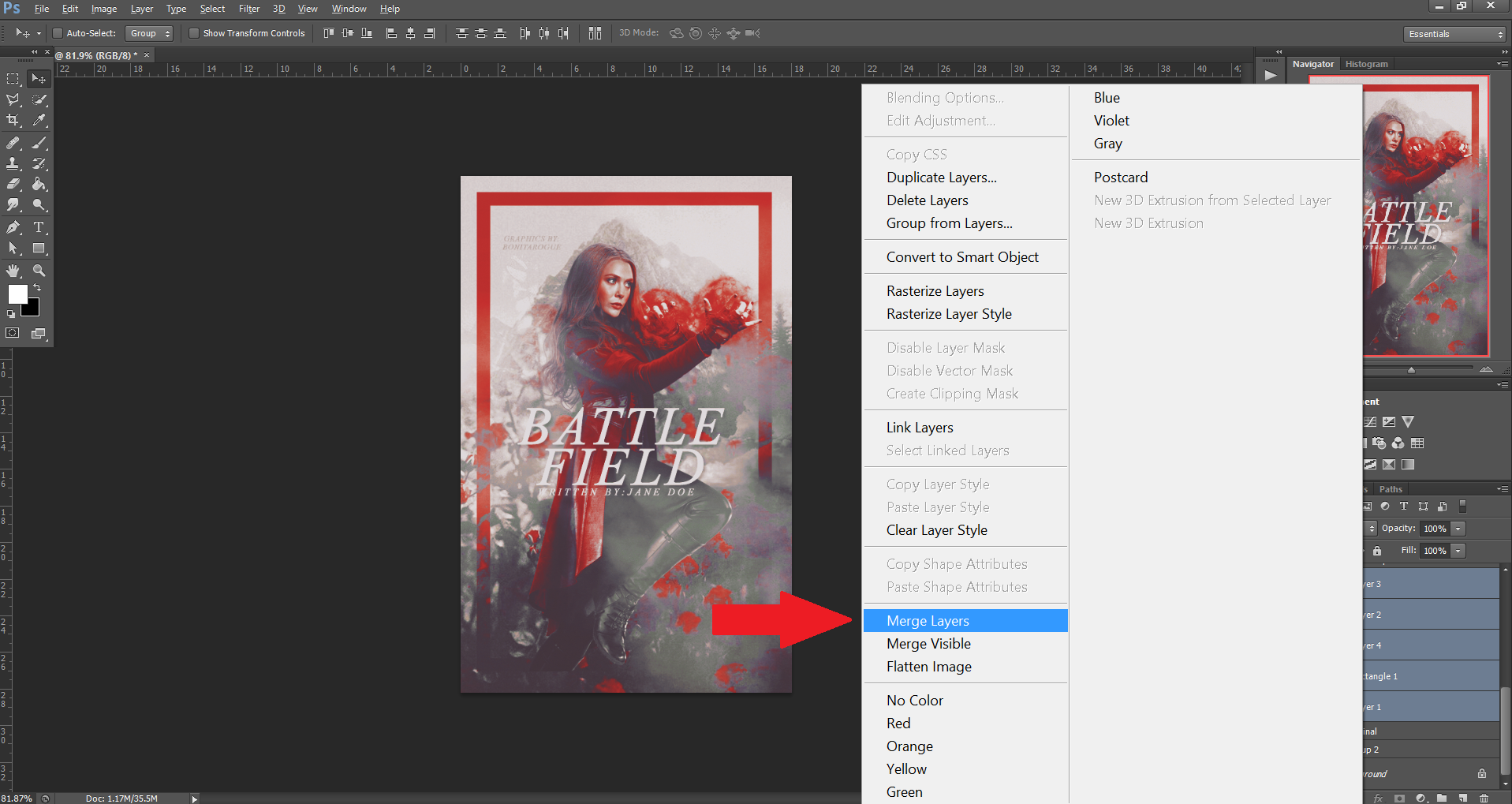
▹When you're done with your graphics, merge layers.
◆ Second
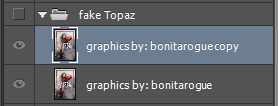
▹Please copy your first layer. Just in case you find that the face is a bit weird, you can erase it. (i hope this make sense)
◆ Third
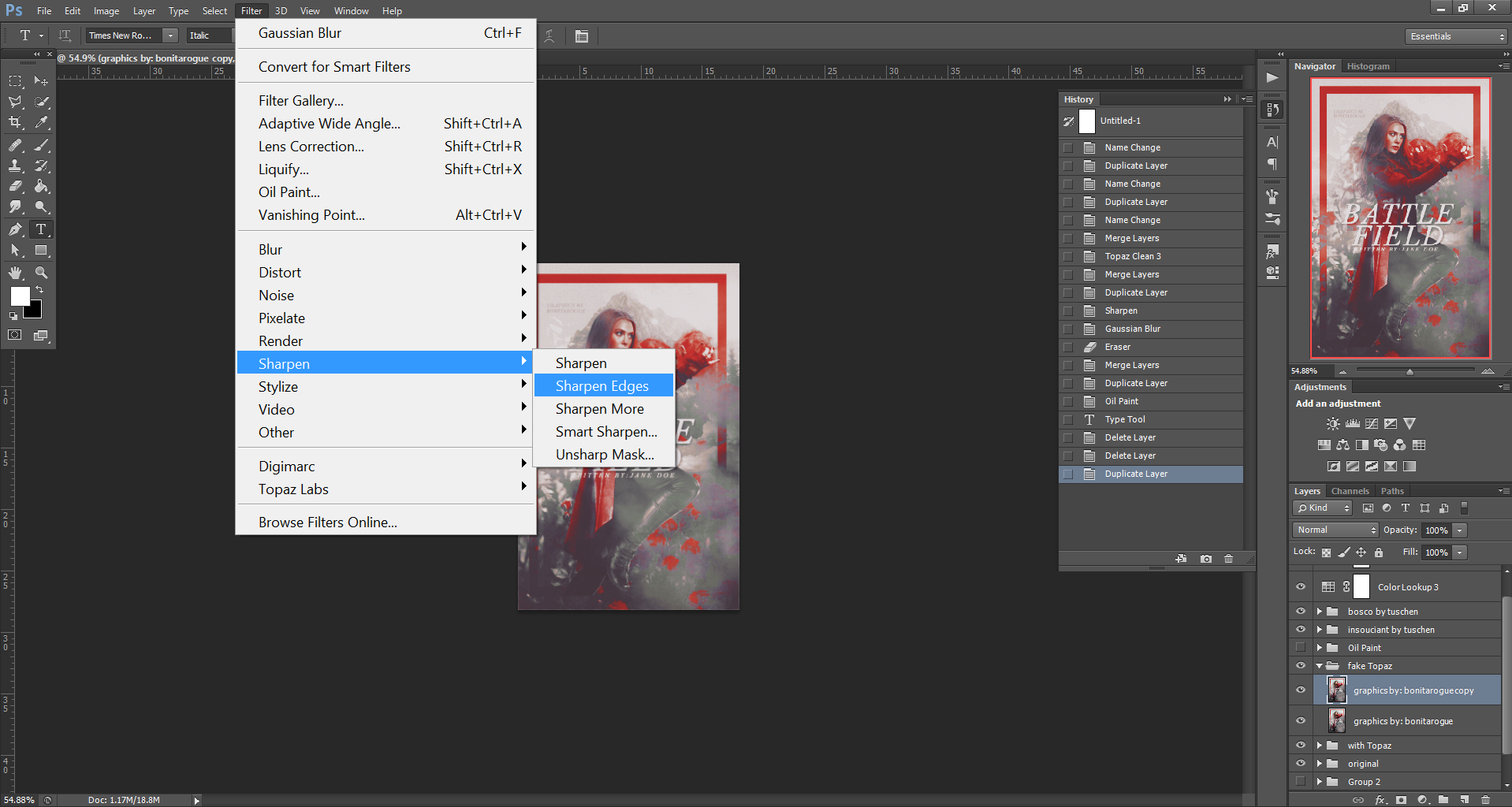
▹Click on the filter, sharpen and sharpen edges.
◆ Fourth
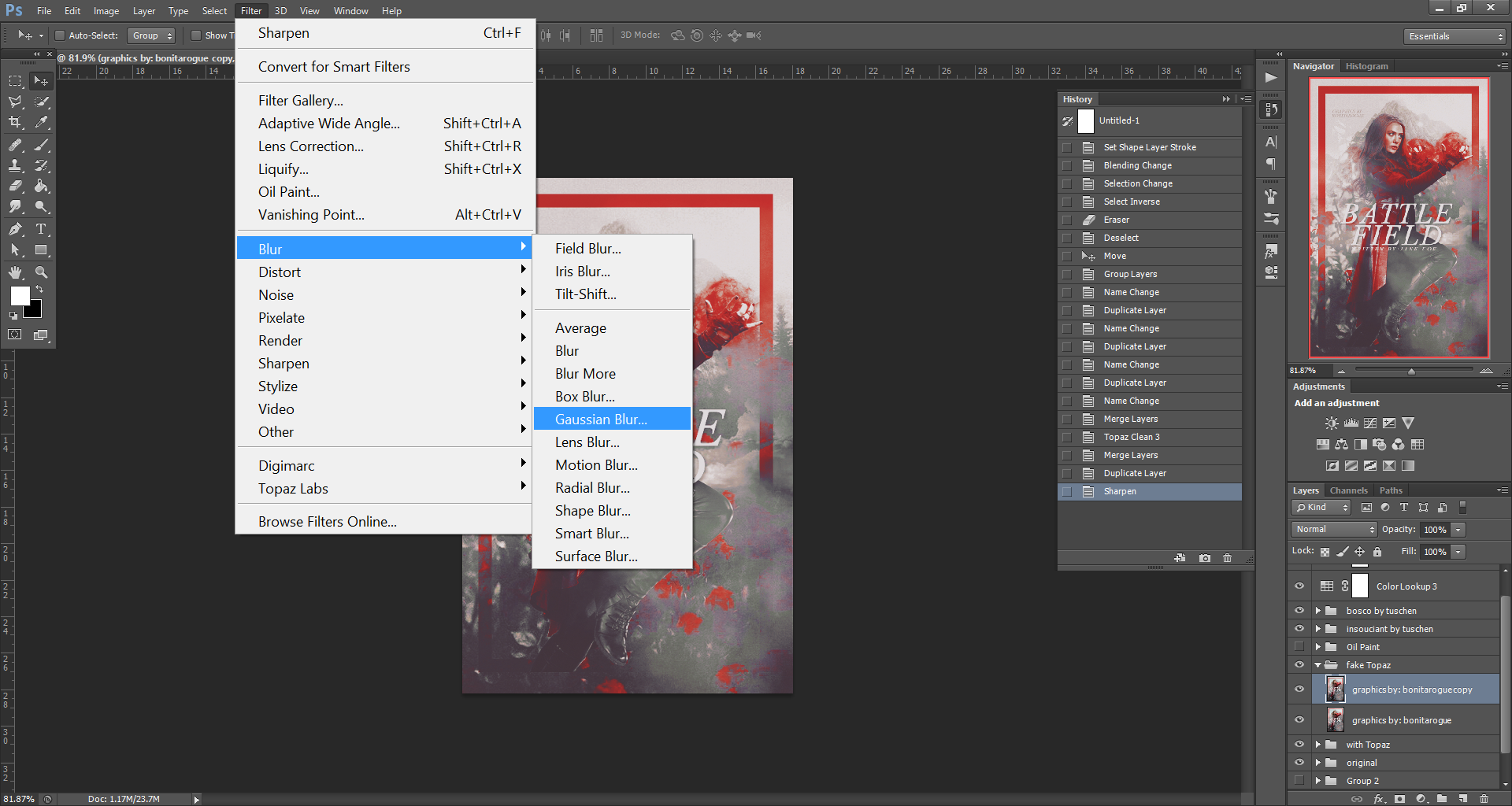
▹once you're done with the sharpen, go to the filter again, blur and gaussian blur.
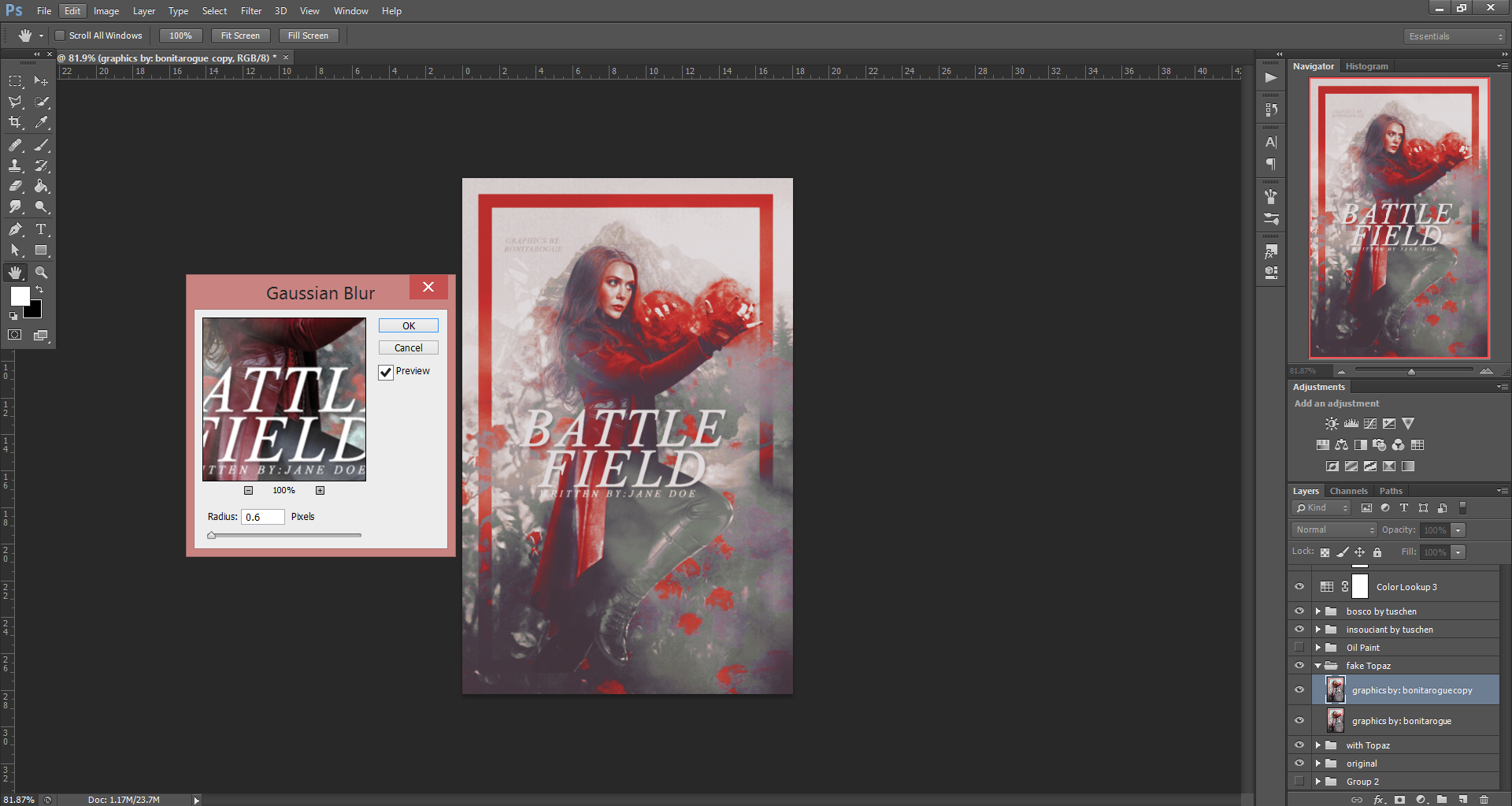
◆ TIPS:
▹try not to overdo it. it will blurry.
▹Like I said, if you find some part too weird, just erase it.
And you're done.
===========
shoutout to eunicornism for requesting.
Thanks for requesting!
Bạn đang đọc truyện trên: AzTruyen.Top